
Campfire's Platform and Integrations module connects your financial operations with your entire technology ecosystem through prebuilt connectors for leading CRM, payroll, banking, and payment platforms, a comprehensive API with over 100 endpoints for custom development, intelligent data synchronisation with real time monitoring, and seamless ERP migration tools that preserve historical data integrity while modernising your financial infrastructure.
Eliminate manual data entry between systems by 95 percent, reduce integration implementation timelines from months to days with prebuilt connectors, achieve real time data synchronisation across your entire technology stack, enable custom workflow automation through over 100 API endpoints, and ensure complete data consistency between financial and operational systems while scaling seamlessly as your organisation grows.
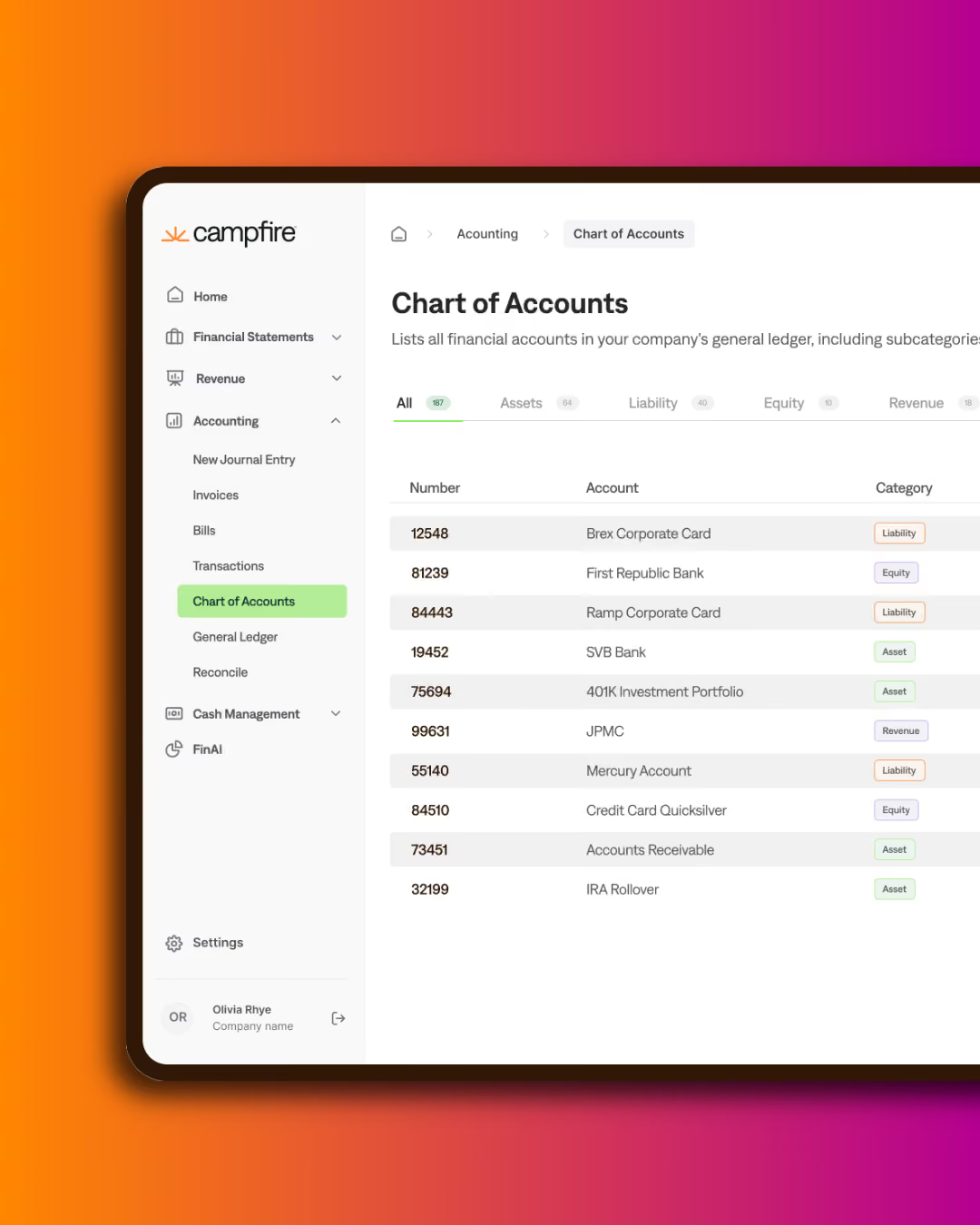
Campfire connects to the rest of your finance stack in four ways: a library of prebuilt connectors for common SaaS platforms, direct bank feeds into Cash Management, a REST API with more than 100 endpoints for anything without a connector, and migration tooling that moves your chart of accounts, balances and transaction history off your existing ERP. For Australian organisations, Cynder configures and tests each connection during implementation, including the local payroll, banking and lodgement tools that sit outside Campfire's standard library.
| Connection method | What it covers | Who configures it |
|---|---|---|
| Prebuilt connector | Salesforce, HubSpot, Rippling, Stripe, PayPal, Ramp, Brex | Enabled and field-mapped by Cynder |
| Direct bank feed | Transaction feeds into Cash Management and bank reconciliation | Cynder, with your bank |
| REST API | Any system without a prebuilt connector, including most Australian payroll and lodgement tools | Your developers, or Cynder |
| Webhooks | Event-driven pushes out of Campfire on approvals, payments and postings | Your developers, or Cynder |
| Migration tooling | Chart of accounts, opening balances, transaction history, master records | Cynder |

Campfire's connector library covers the platforms most commonly found in a growth-stage software business: Salesforce and HubSpot for CRM, Rippling for payroll, Stripe and PayPal for payments, Ramp and Brex for cards and expenses, plus banking and e-commerce feeds. Each connector handles authentication, field mapping and scheduling without custom development, and supports both real-time and batch synchronisation.
Australian finance stacks rarely stop there. Local payroll platforms, bank feeds from the major Australian banks, superannuation clearing houses and ATO lodgement tools generally sit outside that standard library. Those connect through Campfire's API or through middleware, and Cynder specifies, builds and tests them as part of the implementation rather than leaving them as an open item after go-live.
The practical consequence is that connector coverage is not the question to ask a vendor. The question is which of your systems are covered natively, which need API work, and who owns that work. That mapping is the first deliverable in a Cynder implementation.
Campfire provides structured migration tooling that maps an existing chart of accounts, transaction history and master records into its own structure while preserving historical integrity. In practice the tooling is the straightforward half. The judgement calls are what determine whether the migration holds up at the first close and the first audit.
For an Australian entity that means deciding how much transactional history to bring across versus leaving in the legacy system as a read-only archive, how GST codes map to the new tax configuration so BAS preparation reconciles on both sides of the cutover, how prior-period comparatives are represented, and how records that support ATO substantiation requirements remain retrievable for the full retention period.
Cynder runs that mapping before any data moves, reconciles trial balances on both systems at cutover, and keeps the legacy system available read-only through the first reporting cycle so nothing depends on a single irreversible switch.
Campfire exposes a documented REST API covering the platform's data model, with OAuth 2.0 authentication and webhook notifications for event-driven workflows. Where a system has no prebuilt connector, this is the route: your development team or Cynder builds against documented endpoints rather than waiting for a vendor roadmap.
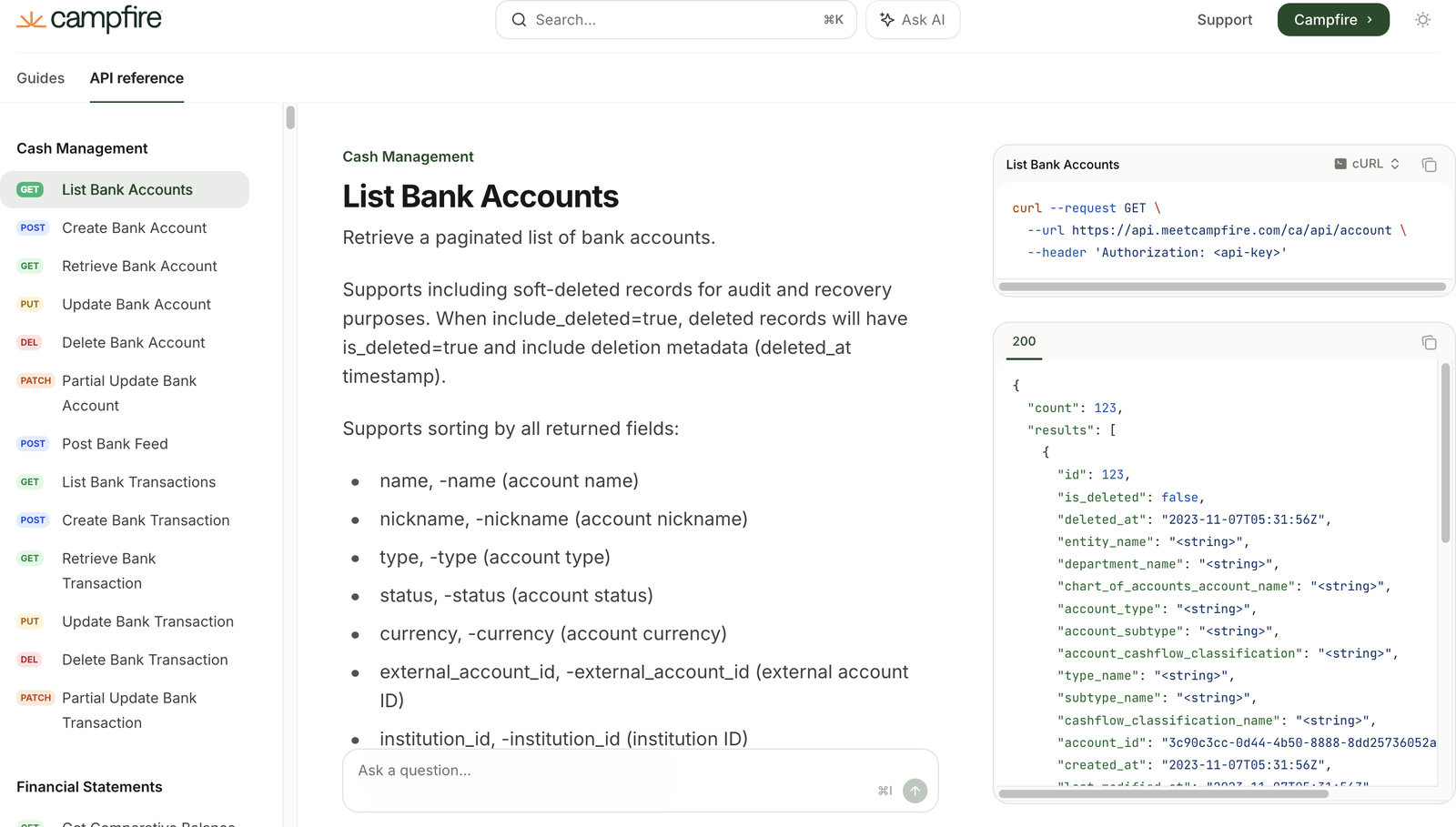
Typical Australian builds include pushing payroll journals from a local payroll platform, pulling bank transaction data where a direct feed is not available, posting sales data from a billing system that predates the Campfire implementation, and feeding month-end figures into an existing board reporting pack.
Synchronisation runs in real time for time-sensitive data such as payment confirmations and bank transactions, on a schedule for high-volume transfers such as payroll, and on demand for ad hoc refreshes. Each job validates and transforms data before it posts, and a monitoring view shows connection health, sync status and error rates so a silent failure does not surface for the first time at month end.
Being clear about the boundary matters more than a long feature list. Campfire is the accounting system. Several Australian obligations are met in adjacent tools that connect to it.
| Requirement | Where the work happens |
|---|---|
| GST coding and the data behind your BAS | Campfire, using the tax configuration Cynder sets up |
| Lodging the BAS with the ATO | Your lodgement software or registered agent, not Campfire |
| Payroll processing and Single Touch Payroll reporting | Your Australian payroll platform, with journals posted into Campfire |
| Superannuation Guarantee payments and SuperStream | Payroll or clearing house, with the liability recorded in Campfire |
| Revenue recognition schedules and contract modifications | Campfire revenue automation, mapped to AASB 15 treatment at implementation |
| Multi-entity consolidation and intercompany eliminations | Campfire, configured for your AASB 10 group structure |
| Statutory financial statements for ASIC | Campfire reporting, reviewed by your accountant or auditor |
If an obligation on that list is currently handled by a spreadsheet between two systems, that is the part of the implementation worth scoping carefully. It is usually where the time goes.
Reviewed by Michael Dean, Sales and Marketing Director, Cynder. Last reviewed 3 September 2026.
Book an integration assessment and we will map your current finance systems against Campfire's connector library, identify what needs API work, and give you a written view of effort and sequence before you commit to anything. If you are also weighing up the migration itself, start with Campfire implementation.
